

Managing an online gambling account is less about changing one setting and more about keeping access, spending controls, verification details and promotional choices aligned. Betya’s account area is described as serving both casino and sportsbook activity through shared credentials and a shared wallet. For an overview of the available account-related options, see the betya bonus information, then confirm the current terms inside the operator’s own account and help pages before making changes.
Start with a clear account routine
A simple routine makes account management easier to understand. Begin by confirming that the email address, contact details and selected account currency are correct. These details can affect password recovery, support communication, transaction records and the presentation of balances. If the account is used for both casino and sportsbook activity, review the whole account rather than treating the two areas as completely separate.
Next, identify where the important controls are located. The available material refers to My Account areas for KYC information, transaction and bonus balances, VIP progress and responsible-gambling settings. Menus can change as a service develops, so look for labels such as account, limits, security, verification, payments, promotions and support. Avoid relying on an old screenshot or a third-party description when a current account page gives different instructions.
It is useful to schedule a short monthly review, even if the account is rarely used. Check recent transactions, active promotions, pending verification requests and any limits that may have expired. Also review whether the account is active, under review, restricted or otherwise unavailable. Keeping notes of dates and support conversations can help if a question later involves a payment, a document request or an account-status change.
Which details should stay current?
Personal and contact information should match the documents that may be used during verification. An outdated email address can make password recovery difficult, while an incorrect address or name can create delays when ownership checks are required. If personal circumstances change, update the account through the permitted process rather than opening another account to work around the issue.
Account currency deserves particular attention. Canadian-dollar accounts are reported as supported, while other fiat currencies and digital assets may also be available depending on the account. Currency selection can influence how balances, deposits, withdrawals and exchange-rate movements appear. Do not assume that changing a display preference will convert existing funds without cost or affect every transaction method in the same way.
Review contact and security information after changing an email address, phone number or device. Use a unique password that is not shared with another service, and avoid saving credentials on a public or shared computer. For broader Canadian guidance on protecting online accounts, the Canadian Centre for Cyber Security’s online resources provide general information that applies beyond gambling accounts.
Keep verification documents ready without oversharing
Verification is an account condition, not merely an administrative formality. The available information indicates that checks may occur before a first withdrawal, after a transaction review or when the operator needs to confirm account details. Possible requests include government-issued photo identification, proof of address issued within the previous three months and evidence that a payment method belongs to the account holder.
Prepare documents carefully and submit them only through the stated My Account/KYC process or an official support channel. When a card copy is requested, the reported guidance says that only the first six and last four digits should remain visible. This reduces unnecessary exposure of payment information while leaving enough detail for an ownership check. Do not send extra documents simply because they might be useful; follow the specific request.
Missing or unclear documents can lead to a temporary lock or delay. Before uploading anything, check that the name, address and dates are legible and consistent with the account. Keep a private record of what was submitted and when, but do not store full payment-card images casually in an unprotected folder. If a request seems unusual, pause and verify it through the recognised support route before responding.
Match limits and promotions to your own plan
Responsible-gambling settings are most useful when chosen before a problem develops. The listed controls include daily, weekly or monthly deposit limits, cooling-off periods, temporary time-outs, self-exclusion and account closure. Some reviews also refer to wager and loss limits and a self-assessment tool. Choose a limit that reflects an affordable entertainment budget rather than an amount that feels comfortable only on a good day.
Promotional settings require a separate check. Reported offers can have activation windows, qualifying deposits, wagering requirements, expiry dates, maximum stakes and withdrawal conditions. Only one promotion may apply to a deposit, and a bonus may need to be selected before payment. These are not universal rules for every offer, so read the specific terms displayed in the account. If the wording is unclear, ask support before accepting the promotion.
A useful decision is whether the expected value of an offer justifies the extra conditions. A deposit match can tie up funds until requirements are completed, while a time-limited promotion may encourage hurried play. Record the offer name, activation date, expiry date and remaining requirement. Never increase stakes simply to clear a promotion, and remember that promotional balances are not the same as unrestricted cash.

What to do when access or status changes
Password recovery is normally started from the login screen using the registered email address. If the reset message does not arrive, check spam folders and confirm that the email address is still correct. Avoid repeatedly guessing passwords, since unusual activity or incorrect attempts may trigger additional security checks. Do not create a second account while trying to regain access.
Accounts may be described as active, under review, locked, restricted, suspended, dormant, closed or self-excluded. These labels do not necessarily mean the same thing. A document issue can produce a temporary lock, while self-exclusion is a deliberate gambling block and may not be reversible immediately. Read the message attached to the status and ask support what action, if any, is available.
When contacting support, provide a concise timeline, the account email, relevant transaction dates and any reference numbers requested. Do not send a password or unnecessary financial information. Formal complaints are reportedly accepted in writing, with an acknowledgement target and a stated response timeframe; confirm the current process before relying on those targets. If an account is dormant, review the operator’s restoration procedure rather than assuming the balance disappears.
Account settings questions Canadians commonly ask
Can one account cover casino and sportsbook activity?
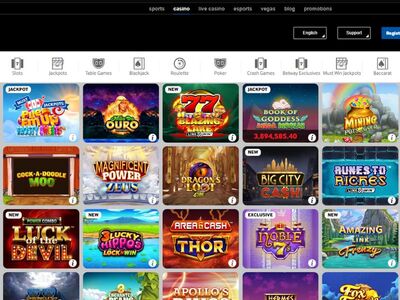
The available material describes one set of credentials for both areas, with a shared wallet. That means a change to contact details, access credentials or responsible-gambling controls may affect the wider account. Check the relevant terms before assuming that a limit or restriction applies to only one activity.
Can a self-exclusion be removed immediately?
No immediate reopening should be assumed. Self-exclusion is described as blocking play for the selected period, with reopening not being immediate. Choose the duration carefully and contact support only through the stated process if circumstances change. A cooling-off period or temporary time-out may have different conditions.
What should I do if verification delays a withdrawal?
Review the requested documents, make sure they are current and legible, and submit them through the designated KYC route. Keep a record of the submission and contact support if no update arrives. Do not send altered documents, use another person’s payment method or open a replacement account.
