
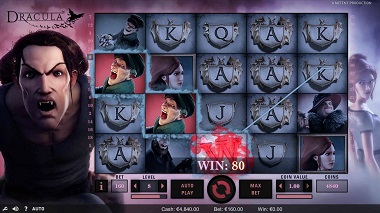

Returning players usually want a straightforward way to reach their balance, games and account settings without confusion. The Dracula Casino login process is based on the credentials created during registration, while the account area also brings together deposits, withdrawals, transaction history and personal details. Before signing in, check that you are using the official website, have your registered email and password available, and understand how recovery works if access is lost. A few simple habits can make regular account use more secure and easier to manage.
How the account login works
Returning users sign in with the credentials associated with their registered account. The process is intended for the account holder, so login details should never be shared with friends, relatives or anyone claiming to need them for assistance. Using the same email address consistently also reduces confusion if several addresses are used for different online services.
Before entering details, confirm that the website address is correct and that the connection appears secure in your browser. Avoid signing in through links received unexpectedly in messages or adverts. On a shared computer, private browsing can reduce saved-session risks, but it does not replace logging out. Do not allow a public device to remember your password or keep the account open after you leave.
If the page does not accept the credentials, pause before repeatedly trying random combinations. Check spelling, keyboard layout and whether an old password has been entered. A high number of unsuccessful attempts may create additional account access problems. If the issue continues, use the recovery option on the login form or contact support rather than opening a second account to work around it.
Keeping credentials and personal details accurate
Account security begins with a password that is difficult to guess and not reused on other websites. A long, unique passphrase is generally easier to manage than a short combination of predictable words, names or dates. Store it in a reputable password manager if that suits your routine, and avoid saving credentials on devices used by other people.
The registration information must reflect the player’s real legal identity. Canadian-facing material describes details such as name, phone number, postal code and date of birth during registration. Accuracy matters later if the operator requests verification or needs to match account information with a payment method. Do not enter altered details simply to complete a form more quickly.
Profile and settings areas may allow password changes and access to personal information. Review those details occasionally, especially after changing a phone number or moving address. Some corrections may require customer support rather than an immediate edit. Payment methods should also be registered in the account holder’s own name; third-party cards, bank accounts and wallets are not permitted according to the available terms.
What to do when you forget the password
The login form includes a “Forgot Password” function for players who can no longer remember their password. Recovery normally begins with the registered account details, so use the email address connected to the account rather than guessing a different address. Check the junk or promotions folder if a recovery message does not appear promptly.
Follow the instructions supplied in the recovery message and create a new password that has not been used elsewhere. Avoid sending your password to support or replying to an unsolicited message that asks for it. Legitimate assistance should not require you to disclose the secret credential itself. If the reset email is unavailable, confirm that the mailbox is still accessible and correctly spelled.
When the reset process fails, customer support can assist with the account-access problem. Be prepared to answer reasonable ownership questions, but provide personal documents only through the operator’s stated secure process. Verification may be requested before a withdrawal or when account activity triggers checks, and the available material does not guarantee that every recovery case will follow the same procedure.
Using the account area after signing in
Once access is restored, the account area serves as more than a launch point for casino games. Available descriptions place balance information, deposits, withdrawals, transaction history, personal details and settings within the account environment. Reviewing this information can help you spot an unfamiliar transaction or notice that a profile detail needs correcting.
The cashier is where the available payment routes and account-specific limits should be checked before any transaction. Canadian-facing materials mention options including Interac or e-Transfer, Visa, Mastercard and cryptocurrencies, but the methods displayed to an individual player may vary. Reported limits and processing information can also differ by method, so the values shown in the account should take priority over general review summaries.
Signing in does not remove the conditions attached to withdrawals. Completed wagering, identity checks or payment ownership checks may be required, and bonus funds can remain unavailable until their terms are satisfied. Look at transaction history after making a payment, keep records of confirmations, and log out through the profile or account menu when finished, particularly on a shared device.
Mobile access and sensible account controls
The platform is described as browser-based on mobile devices, using a responsive HTML5 website on iOS and Android. Players can use a modern browser such as Safari or Chrome for account access, games and cashier functions. A dedicated native application is not consistently documented for Canada, so be cautious about unofficial apps or downloads claiming to represent the brand.
For mobile login, keep the device’s operating system and browser updated, use a screen lock, and avoid public Wi-Fi when handling account or payment information. If you must use a shared connection, do not save credentials and close all account tabs afterwards. Check the address bar each time rather than relying on an old shortcut whose destination may have changed.
Account controls can also support more deliberate play. Available descriptions refer to deposit limits, time-outs or cool-down periods, self-exclusion and play-time or reality reminders. Self-exclusion is requested through support and blocks access for the selected period. These tools are safeguards, not guarantees, so contact support if gambling is becoming difficult to control and never treat gambling as a source of income.
FAQ
What should I do if I cannot remember my login password?
Select “Forgot Password” on the login form and use the registered account details. Check your junk folder for the reset message, then create a unique replacement password. If recovery still fails, contact support through the operator’s stated channels and follow any ownership or verification steps requested.
Can I change information in my account profile?
Some password and settings changes are available within the profile area, while corrections to identity information may require support. Keep your legal details accurate and do not create a second account to avoid correcting the first. Payment methods must belong to the registered account holder.
Is there a dedicated mobile app for account access?
The available Canadian-facing material consistently describes browser access through a responsive HTML5 website on iOS and Android, rather than confirming a native app. Use an updated browser and avoid unofficial downloads. The mobile website is described as supporting account, game and cashier functions.
